
Capturx Pen Manager & Digital Pens
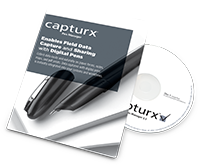
The Capturx Pen Manager works with the Anoto digital pens to manage settings for the pen and processing ink records saved on each pen. Features and options include:
- Viewing the docked and/or locked status of the pen
- Entering and saving contact details to the pen
- Assigning a password to the pen (Live Pen 1 only)
- Identifying one of the pens as your Customer Reference Pen for accessing additional services, such as downloading pattern
- Viewing the remaining time left on the battery of the pen
- Downloading and deleting the pages currently on the pen
- Setting how you want the pages to download
- Activating Capturx enterprise applications for the pen
- Enabling or disabling the Bluetooth feature on the pen (Live Pen 1 only)
- Registering the pen with Adapx Customer Support
- Entering an email or server address for sending ink records
- Checking for updates of Capturx software
You can view the activity of the Pen Manager and access it by double-clicking on the icon in your system tray.
To learn specifically about your digital pen, get the Live Pen 1 or Live Pen 2 datasheets.
Capturx Pen Manager and Digital Pen Resources
Capturx Pen Manager 3.3 User Guide
Capturx Pen Manager 3.3 Release Notes
Capturx Pen Manager 3.3.1 Quick Start Guide
Capturx Pen Manager 3.3.1 Release Notes
Capturx Pen Manager 3.3.2 Quick Start Guide
Capturx Pen Manager 3.3.2 Release Notes
Capturx Pen Manager 3.4 User Guide
Capturx Pen Manager 3.4 Quick Start Guide
Capturx Pen Manager 3.4 Release Notes
Capturx Pen Manager 3.5 User Guide
Capturx Pen Manager 3.5 Quick Start Guide
Capturx Pen Manager 3.5 Release Notes
Capturx Pen Manager 4.0 User Guide
Capturx Pen Manager 4.0 Release Notes


